 how-to
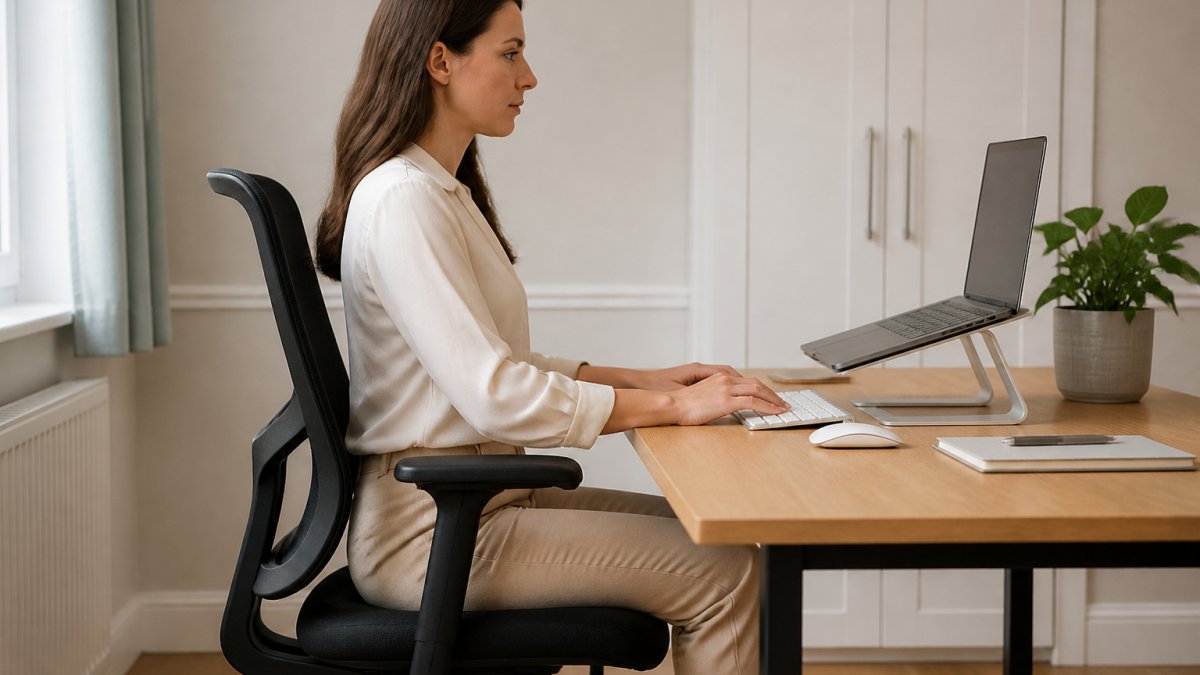
How to Improve Desk Posture for Lower Back Pain
Last Updated: October 30, 2026
Quick Summary
To improve desk posture for lower back pain, set your seat so your feet are flat and knees level with hips, keep your screen at eye level and stand up at least once every 30 minutes. Good desk posture keeps your spine in its natural curve rather than a slump.
- Set seat height first so thighs are roughly parallel to the ground.
- Place a small cushion or rolled towel behind your lower back.
- Keep your screen at eye level, about an arm's length away.
- Stand and walk for one to two minutes every half hour.
- Laptop users should add a stand and a separate keyboard.
Table of Contents
- Why Desk Posture Affects Your Lower Back
- How to Set Up an Ergonomic Desk for Back Pain
- Stretches for Desk Workers with Back Pain
- How Often Should I Stand Up at My Desk?
- Everyday Habits That Support Better Desk Posture
- When Desk Posture Alone Is Not Enough
- Book a Desk Posture Assessment in Cheadle
- Frequently Asked Questions
Why Desk Posture Affects Your Lower Back
Most people blame their lower back for pain that actually starts at the desk. Sitting for long stretches loads the spine in ways it was not designed to handle. The lower back takes much of that strain.
Desk posture is the way your spine, hips and shoulders line up while you sit and work. Poor desk posture means slumping, leaning forward or perching on the edge of your seat. Over time, this puts steady pressure on the discs and muscles in your lower back.
Office workers and drivers often describe the same pattern. Their back aches by mid afternoon and feels better after a walk.
Here is the key point. Your lower back rarely hurts on its own. It is usually the last link in a chain that starts with your chair, screen and daily habits. Fix those, and the back often settles.
The NHS advice on back pain is clear that staying active and adjusting how you sit both help. So does getting your setup right.
Below, we show you exactly how to improve desk posture for lower back pain, step by step.
How to Set Up an Ergonomic Desk for Back Pain
An ergonomic desk setup for back pain starts with one rule: your spine should stay in a natural curve, not a slump. If desk work or driving leaves you with neck, shoulder or upper back pain, you can arrange a posture assessment at our clinic in Cheadle near Stockport. Get the chair and screen right and most of the work is done.
Chair and Seat Height
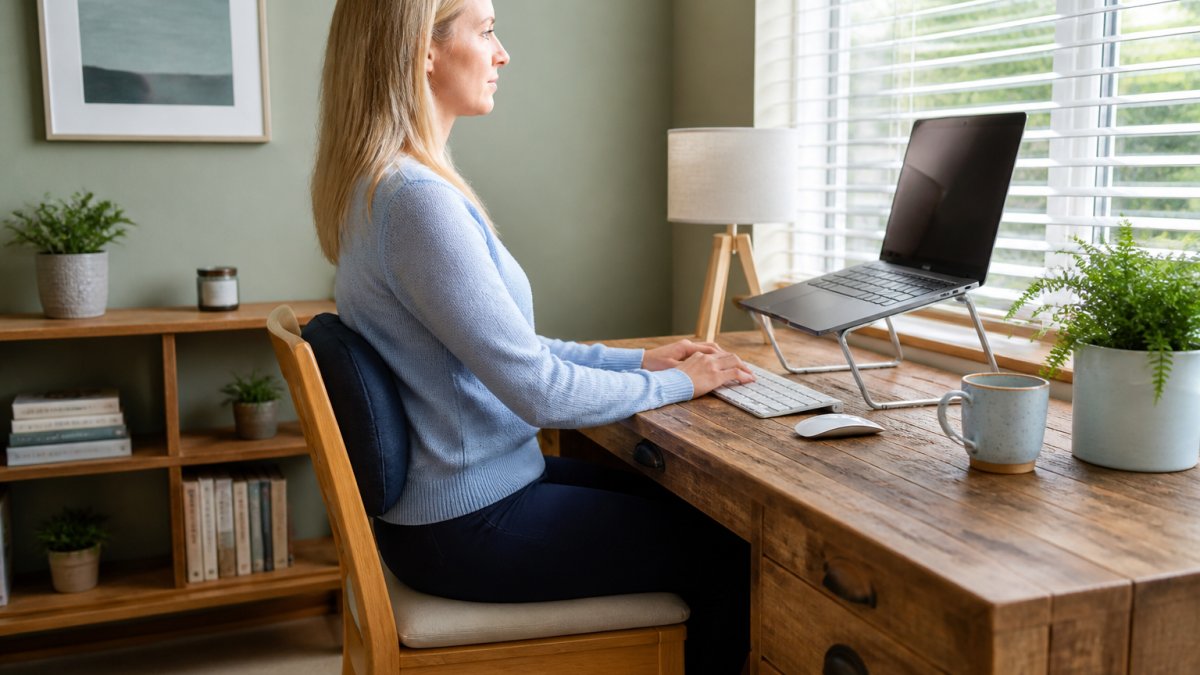
Set your seat height first. Your feet should sit flat on the floor and your knees level with your hips.
- Adjust the seat so your thighs are roughly parallel to the ground
- Push your hips back into the base of the chair
- Add a small cushion or rolled towel behind your lower back
- Keep your shoulders relaxed, not hunched
A common mistake is sitting too low. This tilts the pelvis back and flattens the lower spine. If your chair will not go high enough, a footrest can help.
Screen, Keyboard and Mouse Position
Your screen should sit at eye level, about an arm's length away (Working safely with display screen equipment). The top of the screen should be roughly level with your eyes.
Keep your keyboard close so your elbows stay near your sides. Your wrists should stay straight, not bent up.
- Screen at eye level, arm's length away
- Keyboard close, elbows near 90 degrees
- Mouse beside the keyboard, not stretched out
- Laptop users: add a stand and a separate keyboard
Working on a laptop alone often pushes your head down and your back to round. A stand plus a separate keyboard can make a real difference.
Here are the key setup points to check at your desk.
| Item | What to do | Note |
|---|---|---|
| Seat height | Feet flat on floor, knees level with hips | Thighs roughly parallel to the ground |
| Lower back | Small cushion or rolled towel behind it | Keeps the natural curve |
| Screen | At eye level, about an arm's length away | Top of screen level with eyes |
| Keyboard | Keep it close, elbows near 90 degrees | Wrists straight, not bent up |
| Mouse | Beside the keyboard | Not stretched out |
| Laptop | Add a stand and a separate keyboard | Stops head dropping and back rounding |
Stretches for Desk Workers with Back Pain
Stretches for desk workers with back pain work best when done little and often. Hold each one gently and stop if anything sharpens.
Try these through the day:
- Seated spinal twist: sit tall, turn gently to one side, hold for 10 seconds, swap sides
- Standing back extension: stand, place hands on lower back, lean back slightly
- Hip flexor stretch: half-kneeling, tuck your pelvis, hold for 20 seconds each side
- Shoulder rolls: roll shoulders back slowly, 10 times
- Chin tucks: draw your chin back, hold for 5 seconds, repeat
None of these should hurt. A mild stretch is fine. Sharp pain is not.
If a stretch makes your back worse, stop and get it checked. That is your body telling you something needs a closer look.
How Often Should I Stand Up at My Desk?
Stand up at least once every 30 minutes, even if only for a minute. Short, frequent breaks beat one long one.
Sitting still for hours is the real problem, not sitting itself. Your back and hips stiffen when they stay in one position.
A simple routine:
- Stand and walk for one to two minutes every half hour
- Do a few shoulder rolls and chin tucks at your desk
- Take calls standing when you can
- Use a timer or phone reminder at first
The NHS guidance on sitting and movement supports breaking up long periods of sitting. Small, regular movement keeps your spine happier than a single gym session.
Everyday Habits That Support Better Desk Posture
Good desk posture is built away from the desk too. The habits you repeat each day shape how your spine holds itself.
Start with these:
- Walk daily, even a short loop nearby
- Keep your phone at eye level, not down in your lap
- Carry bags evenly, not always on one shoulder
- Set a reminder to check your posture mid morning and mid afternoon
- Warm up before lifting anything heavy at home
A common mistake is only thinking about posture while at the desk. The rest of the day matters just as much.
If you want to go deeper, our guide on chiropractic posture correction explains how posture problems develop and how care can help.
When Desk Posture Alone Is Not Enough
Sometimes better posture is not enough. If your lower back pain keeps coming back, or wakes you at night, it needs a proper look.
Watch out: pushing through sharp pain or numbness that runs down your leg is not something to ignore. Get it assessed.
Signs to book an assessment:
- Pain that lasts more than a few weeks
- Pain that spreads into your leg or foot
- Stiffness that does not ease with movement
- Pain that keeps returning despite a better setup
At Dr Roberta Chiropractor, we look at how your spine moves and holds itself, not just where it hurts. Dr Roberta is a Chiropractic BioPhysics qualified practitioner and uses advanced INSiGHT scanning technology to help understand what may be contributing to your pain.
If your back pain keeps returning, you can book a back pain assessment with us in Cheadle.
Book a Desk Posture Assessment in Cheadle
If desk work or driving leaves you with neck, shoulder or upper back pain, a posture assessment can show you what is going on. We offer assessments at our clinic in Cheadle, which can be a helpful first step if your back pain will not settle.
We will talk through your history, check your posture and movement, and explain what we find in plain language.
Want to know what happens first? Read your chiropractic journey, explained before you come in.
You can find our address, phone number and booking details on our contact page.
Frequently Asked Questions
What is the correct sitting position for lower back pain?
Sit with your feet flat on the floor and your knees roughly level with your hips. Keep your lower back supported by the chair's backrest or a small cushion, and let your shoulders relax. Your screen should be at eye level so you are not leaning forward. Aim to change position every 30 to 45 minutes rather than holding one 'perfect' posture for hours, as staying still is often the bigger problem for desk posture and lower back pain.
How often should I stand up at my desk?
A practical guide is to stand and move for a minute or two every 30 to 45 minutes. Set a timer or use a reminder on your phone. Standing up, walking to the kettle, or doing a few gentle stretches helps take pressure off your lower back and keeps your desk posture from slipping. If you lose track of time, link movement to a regular task, such as after each meeting or phone call.
Are there specific exercises for lower back pain caused by sitting?
Gentle movements that take your spine through a comfortable range can help. Try a seated pelvic tilt, a standing backward bend with your hands on your hips, or a gentle knee hug lying on your back. Move slowly and stop if anything sharpens the pain. These are general suggestions, not a personal programme. If your pain is ongoing or worsening, a qualified professional such as a chiropractor can assess what is right for you.
When should I see a chiropractor for desk-related back pain?
Consider an assessment if your lower back pain has lasted more than a couple of weeks, keeps returning, or is affecting your sleep or daily activities. A chiropractor can check how your spine and joints are moving and give you a plan that suits your work setup. If you have numbness, weakness in your legs, or problems with bladder or bowel control, seek urgent medical advice first.
Your lower back does not have to ache through every workday. Small changes to your desk, your breaks and your daily habits can make a real difference. When they are not enough, a proper assessment can show you why. Get started with Dr Roberta Chiropractor and take the first step towards a back that feels better at the desk.